IMAGE MAGICK 8 - Laten staan.


 en anders 1000xSorry , heb het een beetje druk


-
egel - Lid geworden op: 20 jun 2006, 00:06
- Locatie: tussen veld en bos
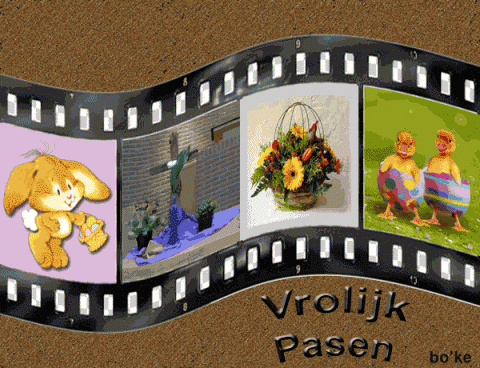
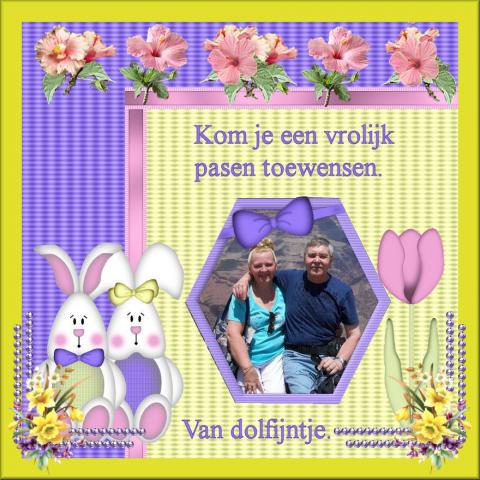
Cleopa, 'k kom je een vrolijke paasdag wensen, hopelijk gevolgd door een rustige en aangename avond voor de buis, achter je PC of bij vrienden of bij familie.
En voor later, slaapwel en droom zoet.
Greetz. ~~Egel~~
En voor later, slaapwel en droom zoet.
Greetz. ~~Egel~~
Traag maar zeker komt egeltje er wel
-
mottemieke - Lid geworden op: 09 apr 2008, 15:13
- Locatie: ergens tussen de suikerklontjes
CLEOPA WENS U FIJNE PAASDAGEN GENIET ER VAN 

MET TRANEN IN JE OGEN HEB JE EEN REGENBOOG IN JE HART
-
Cleopa - Lid geworden op: 25 feb 2005, 22:26
- Locatie: Sint-Truiden
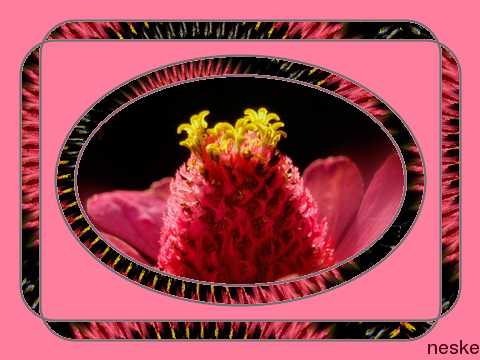
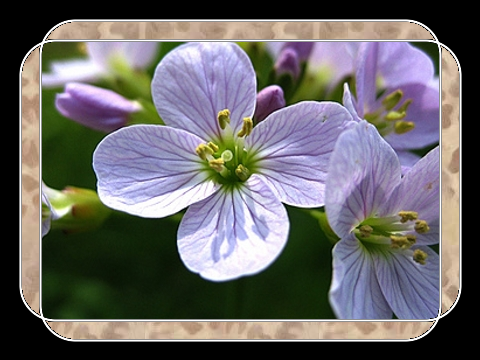
Kader met gevulde afgeronde rechthoek of ovaal
Voorbereiding – extra:
Zoek een afbeelding die als achtergrond, vulling kan dienen. De afmetingen spelen geen rol, liefst kleiner dan 480x360. Sla ze op in je map.
Open IMs
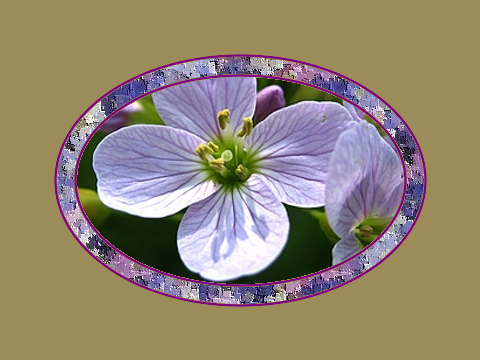
1. Scroll naar Input Properties > Size = 480x360! > Format = xc > Meta = hexcode of naam van een kleur in het Engels > view
2. Draw > Primitive = roundRectangle > Coordinates = 20,40,460,320,35,35 > scroll naar Draw Properties > Fill Color = none > Stroke Color = hexcode of naam van een kleur in het Engels > Stroke Width = 2 > draw
3. Draw > Primitive = roundRectangle > Coordinates = 40,20,440,340,35,35 > scroll naar Draw Properties > Fill Color = none > Stroke Color = hexcode of naam van een kleur in het Engels > Stroke Width = 2 > draw
4. Draw > Primitive = Ellipse > Coordinates = 240,180,185,125,0,360 > scroll naar Draw Properties > Fill Color = none > Stroke Color = hexcode of naam van een kleur in het Engels > Stroke Width = 2 > draw
5. Draw > Primitive = Ellipse > Coordinates = 240,180,165,105,0,360 > scroll naar Draw Properties > Fill Color = none > Stroke Color = hexcode of naam van een kleur in het Engels > Stroke Width = 2 > draw
6. Scroll naar Paint Properties > Method = Flooffill > Paint Type = Matte > plaats je cursor (= +vorm) tussen je twee ovalen en klik links.
7. Scroll naar Paint Properties > Method = Flooffill > Paint Type = Matte > plaats je cursor (= +vorm) links tussen twee afgeronde rechthoeken en klik links.
8. Transform > rotate right aanvinken > transform
9. Scroll naar Paint Properties > Method = Flooffill > Paint Type = Matte > plaats je cursor (= +vorm) links tussen twee afgeronde rechthoeken en klik links.
10. Transform > rotate right aanvinken > transform
11. Scroll naar Paint Properties > Method = Flooffill > Paint Type = Matte > plaats je cursor (= +vorm) links tussen twee afgeronde rechthoeken en klik links.
12. Transform > rotate right aanvinken > transform
13. Scroll naar Paint Properties > Method = Flooffill > Paint Type = Matte > plaats je cursor (= +vorm) links tussen twee afgeronde rechthoeken en klik links.
14. Transform > rotate right aanvinken > transform
15. Composite > haal je achtergrond op met Bladeren > Gravity = Center > scroll naar Composite Properties > Compose = DstOver > Miscellaneous options: tile across and down the image canvas aanvinken > composite
16. Scroll naar Paint Properties > Method = Flooffill > Paint Type = Matte > plaats je cursor (= +vorm) helemaal in het midden en klik links.
17. Composite > haal je afbeelding op met Bladeren > Gravity = Center > scroll naar Composite Properties > Compose = DstOver > Miscellaneous options: tile across and down the image canvas UITVINKEN > composite
18. Rechtsklikkend opslaan als …
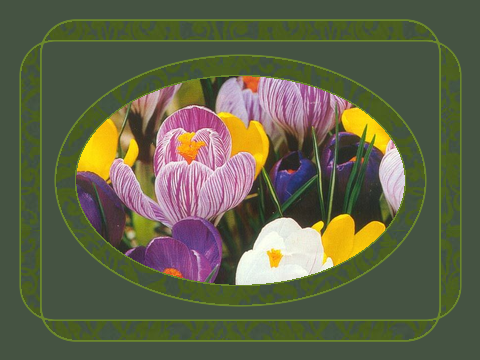
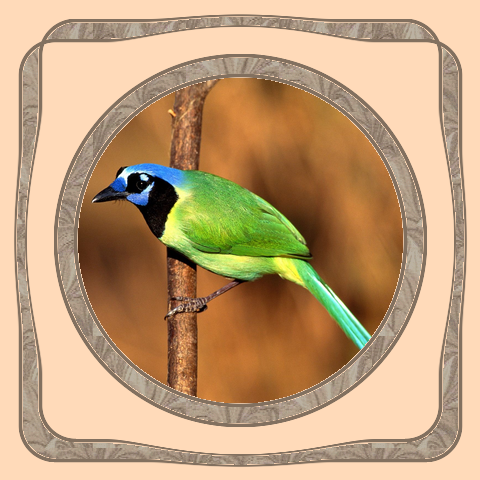
Nota: Mits een extra stap bekom je bovenstaand effect:
Tussen stap 3 en 4, mag ook tussen stap 5 en 6:
F/X > Parameter = -(min)5 > implode aanvinken > effect

in samenwerking met en onder het toeziende oog van

versie 2010/04/11
Voorbereiding – extra:
Zoek een afbeelding die als achtergrond, vulling kan dienen. De afmetingen spelen geen rol, liefst kleiner dan 480x360. Sla ze op in je map.
Open IMs
1. Scroll naar Input Properties > Size = 480x360! > Format = xc > Meta = hexcode of naam van een kleur in het Engels > view
2. Draw > Primitive = roundRectangle > Coordinates = 20,40,460,320,35,35 > scroll naar Draw Properties > Fill Color = none > Stroke Color = hexcode of naam van een kleur in het Engels > Stroke Width = 2 > draw
3. Draw > Primitive = roundRectangle > Coordinates = 40,20,440,340,35,35 > scroll naar Draw Properties > Fill Color = none > Stroke Color = hexcode of naam van een kleur in het Engels > Stroke Width = 2 > draw
4. Draw > Primitive = Ellipse > Coordinates = 240,180,185,125,0,360 > scroll naar Draw Properties > Fill Color = none > Stroke Color = hexcode of naam van een kleur in het Engels > Stroke Width = 2 > draw
5. Draw > Primitive = Ellipse > Coordinates = 240,180,165,105,0,360 > scroll naar Draw Properties > Fill Color = none > Stroke Color = hexcode of naam van een kleur in het Engels > Stroke Width = 2 > draw
6. Scroll naar Paint Properties > Method = Flooffill > Paint Type = Matte > plaats je cursor (= +vorm) tussen je twee ovalen en klik links.
7. Scroll naar Paint Properties > Method = Flooffill > Paint Type = Matte > plaats je cursor (= +vorm) links tussen twee afgeronde rechthoeken en klik links.
8. Transform > rotate right aanvinken > transform
9. Scroll naar Paint Properties > Method = Flooffill > Paint Type = Matte > plaats je cursor (= +vorm) links tussen twee afgeronde rechthoeken en klik links.
10. Transform > rotate right aanvinken > transform
11. Scroll naar Paint Properties > Method = Flooffill > Paint Type = Matte > plaats je cursor (= +vorm) links tussen twee afgeronde rechthoeken en klik links.
12. Transform > rotate right aanvinken > transform
13. Scroll naar Paint Properties > Method = Flooffill > Paint Type = Matte > plaats je cursor (= +vorm) links tussen twee afgeronde rechthoeken en klik links.
14. Transform > rotate right aanvinken > transform
15. Composite > haal je achtergrond op met Bladeren > Gravity = Center > scroll naar Composite Properties > Compose = DstOver > Miscellaneous options: tile across and down the image canvas aanvinken > composite
16. Scroll naar Paint Properties > Method = Flooffill > Paint Type = Matte > plaats je cursor (= +vorm) helemaal in het midden en klik links.
17. Composite > haal je afbeelding op met Bladeren > Gravity = Center > scroll naar Composite Properties > Compose = DstOver > Miscellaneous options: tile across and down the image canvas UITVINKEN > composite
18. Rechtsklikkend opslaan als …
Nota: Mits een extra stap bekom je bovenstaand effect:
Tussen stap 3 en 4, mag ook tussen stap 5 en 6:
F/X > Parameter = -(min)5 > implode aanvinken > effect
in samenwerking met en onder het toeziende oog van
versie 2010/04/11