Hallo,
Heel goed, lees het volgende eerst door vooral de handleiding.
Handleiding fix <--- Klik hierop.
Note: Dit script is speciaal bedoeld voor deze computer, gebruik dit dan ook niet op andere computers met een gelijkaardig probleem.
Klik
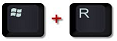
Windows knop plus
R tegelijk in.
"Uitvoeren" opent vul daar
Notepad in en klik daarna op "OK", Kladblok opent.
Kopieer onderstaande
code en plak dat in "Kladblok"
Code: Selecteer alles
start
CreateRestorePoint:
C:\Program Files (x86)\AVG Web TuneUp\WtuSystemSupport.exe
C:\Program Files (x86)\Common Files\AVG Secure Search\ScriptHelperInstaller\40.3.8\ScriptHelper.exe
C:\Program Files (x86)\Common Files\AVG Secure Search\vToolbarUpdater\40.3.8\ToolbarUpdater.exe
HKLM-x32\...\Run: [vProt] => C:\Program Files (x86)\AVG Web TuneUp\vprot.exe [2195968 2018-03-22] (AVG Netherlands B.V. -> )
FF HKLM\SOFTWARE\Policies\Mozilla\Firefox: Restrictie <==== AANDACHT
Task: {0E66CD94-DAC6-4CE3-BD2B-02B1451BB9B2} - \WPD\SqmUpload_S-1-5-21-3354560105-1757747056-3472998773-1002 -> Geen bestand <==== AANDACHT
Task: {0F6D5C73-5922-42AC-A277-1F993400BFD2} - System32\Tasks\AVGUpdateTaskMachineCore => C:\Program Files (x86)\AVG\Browser\Update\AVGBrowserUpdate.exe
Task: {17D34AD0-7D84-49FD-8BC0-4792F3D8C80F} - \Microsoft\Windows\Setup\gwx\refreshgwxcontent -> Geen bestand <==== AANDACHT
Task: {1F7B2DF7-7516-4436-B1B8-E86357E3BD48} - \Microsoft\Windows\Setup\GWXTriggers\Logon-5d -> Geen bestand <==== AANDACHT
Task: {55D29233-5369-41C4-AC47-5322FE276DAC} - \Microsoft\Windows\Setup\GWXTriggers\MachineUnlock-5d -> Geen bestand <==== AANDACHT
Task: {570BA2D5-618B-4AF2-8FF5-AD470F03DC0C} - \Microsoft\Windows\Setup\GWXTriggers\Time-5d -> Geen bestand <==== AANDACHT
Task: {5AA27DEC-7C81-4D34-990F-74F2FE412C72} - \Microsoft\Windows\Setup\GWXTriggers\refreshgwxconfig-B -> Geen bestand <==== AANDACHT
Task: {6A221D13-1A92-46E9-A072-4509A694CE23} - \Microsoft\Windows\Setup\GWXTriggers\Telemetry-4xd -> Geen bestand <==== AANDACHT
Task: {9986E6A0-CA68-4717-A62E-810F74D97E38} - \Microsoft\Windows\Setup\GWXTriggers\OutOfSleep-5d -> Geen bestand <==== AANDACHT
Task: {9DB74527-340D-470C-90C7-5FDF11AFFEC3} - \Microsoft\Windows\Setup\GWXTriggers\OutOfIdle-5d -> Geen bestand <==== AANDACHT
Task: {B4B5CD3F-9272-4A64-BC41-DDCA6D0FABF9} - \Microsoft\Windows\Setup\gwx\refreshgwxconfig -> Geen bestand <==== AANDACHT
Task: {CD79F010-D5D5-4FD6-AEC3-634EBE59D596} - System32\Tasks\AVGUpdateTaskMachineUA => C:\Program Files (x86)\AVG\Browser\Update\AVGBrowserUpdate.exe
Task: {DFF10743-62A9-4C10-AA37-38015A48715C} - \Microsoft\Windows\Setup\gwx\launchtrayprocess -> Geen bestand <==== AANDACHT
Task: {E0C1A216-93C2-4CFF-B897-77ACEE3F06A8} - \Microsoft\Windows\Setup\gwx\refreshgwxconfigandcontent -> Geen bestand <==== AANDACHT
SearchScopes: HKU\S-1-5-21-3354560105-1757747056-3472998773-1002 -> {95B7759C-8C7F-4BF1-B163-73684A933233} URL = hxxps://mysearch.avg.com/search?cid={BA8EF3B9-A1B0-4ADB-A07C-A1EEB04AE66E}&mid=d5005f9a6c2047cdb8795156446e926a-d6dfda1700189ba4156505a94c5f2c7041e9ad35&lang=en&ds=AVG&coid=avgtbavg&cmpid=0817tb&pr=fr&d=2015-09-10 18:28:52&v=4.3.8.510&pid=wtu&sg=&sap=dsp&q={searchTerms}
BHO: AVG Web TuneUp -> {95B7759C-8C7F-4BF1-B163-73684A933233} -> C:\Program Files\AVG Web TuneUp\4.3.9.626\AVG Web TuneUp.dll [2018-03-22] (AVG Netherlands B.V. -> AVG)
BHO-x32: AVG Web TuneUp -> {95B7759C-8C7F-4BF1-B163-73684A933233} -> C:\Program Files (x86)\AVG Web TuneUp\4.3.9.626\AVG Web TuneUp.dll [2018-03-22] (AVG Netherlands B.V. -> AVG)
Toolbar: HKU\S-1-5-21-3354560105-1757747056-3472998773-1002 -> Geen Naam - {E7DF6BFF-55A5-4EB7-A673-4ED3E9456D39} -  Geen bestand
FF Plugin-x32: @avg.com/AVG SiteSafety plugin,version=11.0.0.1,application/x-avg-sitesafety-plugin -> C:\Program Files (x86)\Common Files\AVG Secure Search\SiteSafetyInstaller\40.3.8\\npsitesafety.dll [Geen bestand]
R2 vToolbarUpdater40.3.8; C:\Program Files (x86)\Common Files\AVG Secure Search\vToolbarUpdater\40.3.8\ToolbarUpdater.exe [1371136 2018-03-22] (AVG Netherlands B.V. -> AVG Secure Search)
R2 WtuSystemSupport; C:\Program Files (x86)\AVG Web TuneUp\WtuSystemSupport.exe [811520 2018-03-22] (AVG Netherlands B.V. -> )
S2 TomTomHOMEService; "C:\Program Files (x86)\TomTom HOME 2\TomTomHOMEService.exe" [X]
2020-05-10 11:48 - 2020-05-10 11:48 - 007986864 _____ ( ) C:\Users\roan\Downloads\AVG_Remover (1).exe
2020-05-10 11:34 - 2020-05-10 11:34 - 007986864 _____ ( ) C:\Users\roan\Downloads\AVG_Remover.exe
2020-05-10 11:28 - 2020-05-10 11:48 - 000000000 ____D C:\AVG_Remover
2015-07-17 22:51 - 2015-07-17 22:51 - 006420480 _____ () C:\Program Files (x86)\GUTE306.tmp
ShellIconOverlayIdentifiers: [00avg] -> {472083B0-C522-11CF-8763-00608CC02F24} =>  -> Geen bestand
AlternateDataStreams: C:\ProgramData\Temp:5C321E34 [119]
HKLM\...\StartupApproved\Run32: => "AVG_UI"
HKLM\...\StartupApproved\Run32: => "vProt"
cmd: netsh winsock reset
EmptyTemp:
Reboot:
end
Ga naar
Bestand - Opslaan als.
Kies als locatie
bureaublad.
Bij "Bestandsnaam" zet je:
fixlist.txt
Bij "Opslaan als type" selecteer je:
Alle bestanden.
Als het goed is staat er nu een text bestand op je bureaublad?
Start de
Farbar Recovery Scan Tool.
Als het programma is geopend klik
Yes (Ja) bij de disclaimer. (indien nodig)
Druk op de
Fix knop.
Er zal u een logbestand aangemaakt worden (fixlog.txt) op dezelfde plaats vanwaar de 'tool' is gestart.
Kopieer en plak de inhoud van de logbestanden in je het volgende bericht.(als de inhoud te groot is voor één bericht plaats het in meerdere berichten)






 Als administrator uitvoeren.
 Programma's en onderdelen:
 . Type appwiz.cpl in en klik OK.
